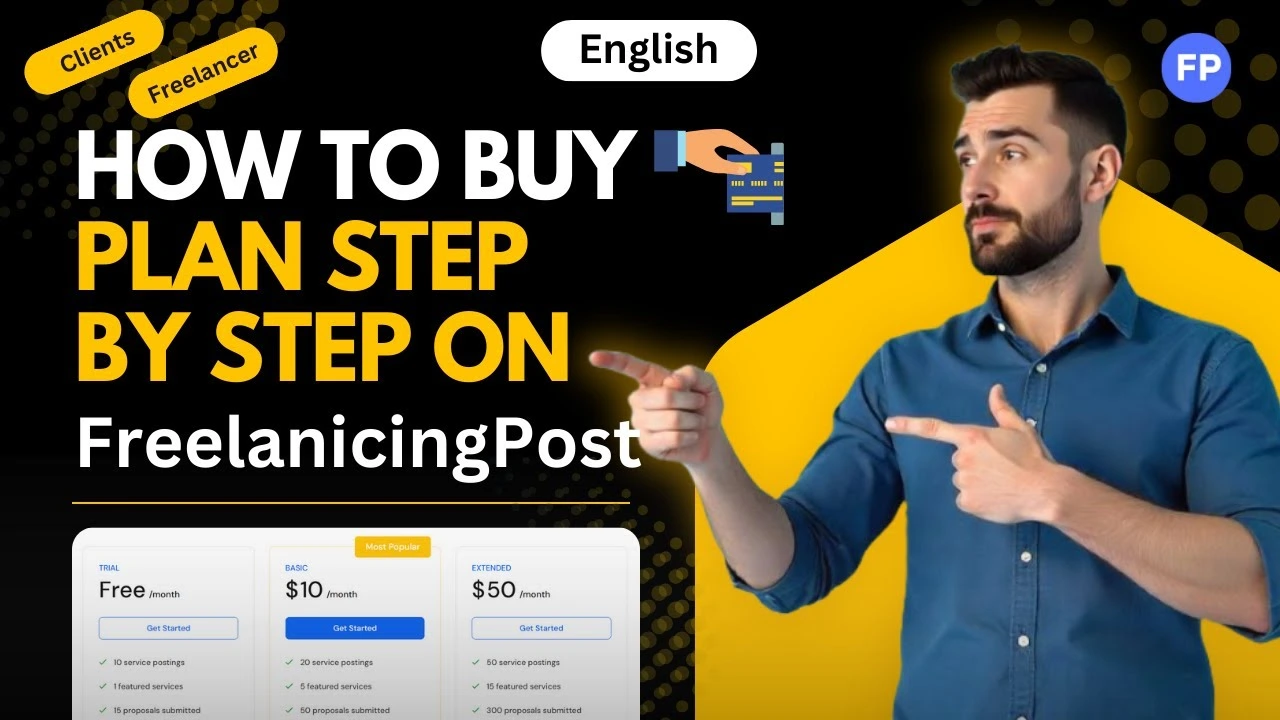
In today’s blog post, we’ll look at How to Freelancer or Clients Purchase Subscription Plan Step by Step on Freelancing Post.
What is a Subscription Plan on Freelancing Post:
A subscription plan is a paid feature that gives you extra benefits compared to a free account. While the free version allows you to use basic features, a subscription unlocks advanced options that can help you grow faster.
For freelancers, subscription plans may offer:
- More proposal credits
- Better profile visibility
- Access to premium jobs
- Featured listings
For clients, subscription plans may provide:
- Priority support
- Better freelancer recommendations
- Advanced hiring tools
- Increased job visibility
Choosing the right plan depends on your goals and how actively you use the platform.
Step 1: Login to Your Account:
The first step is simple. Log in to your Freelancing Post account using your email and password.
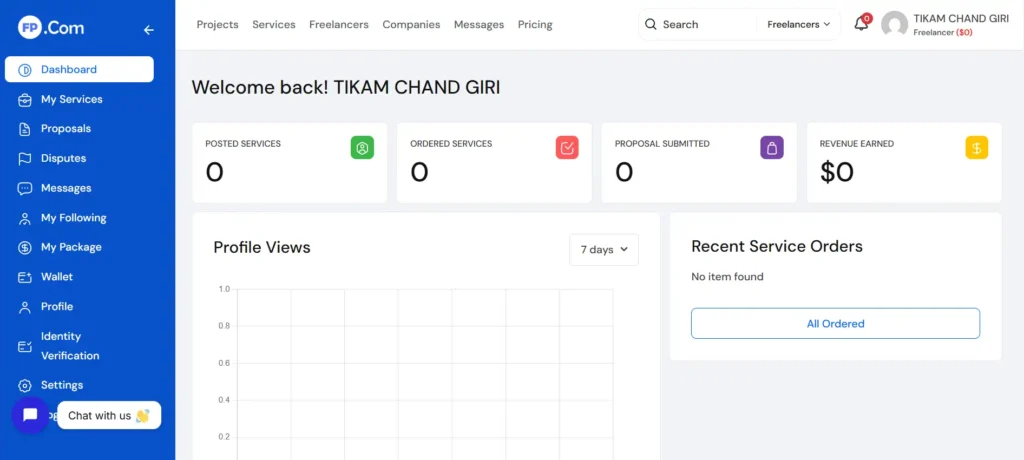
Once you are inside your dashboard, you will see different sections such as profile, jobs, services, and settings.
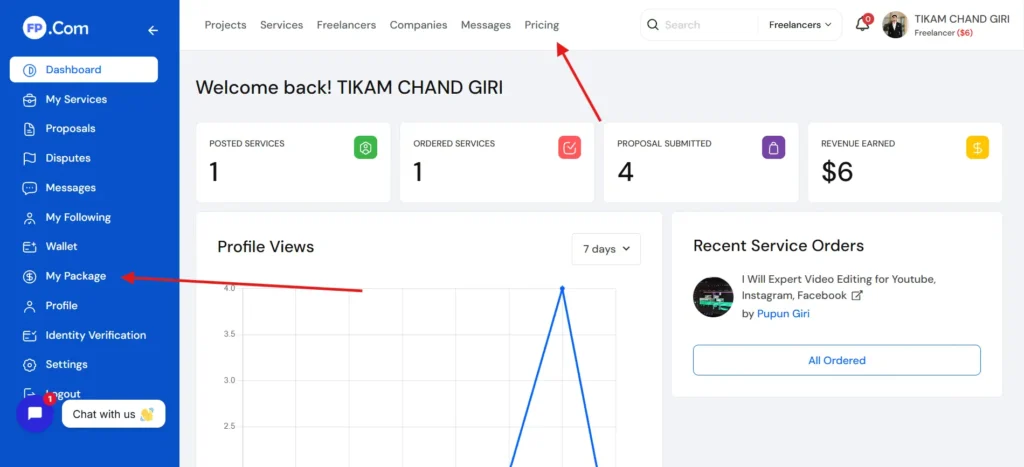
Step 2: Go to Subscription or Pricing Section:
Look for the My Package or pricing section on the platform. It may be labeled as:
- My Package
- Pricing
Click on this option to view all available plans.
Here, you will see different packages with details about pricing and features.
Step 3: Compare Available Plans
Before choosing a plan, take your time to compare the options. Each plan usually comes with different benefits.
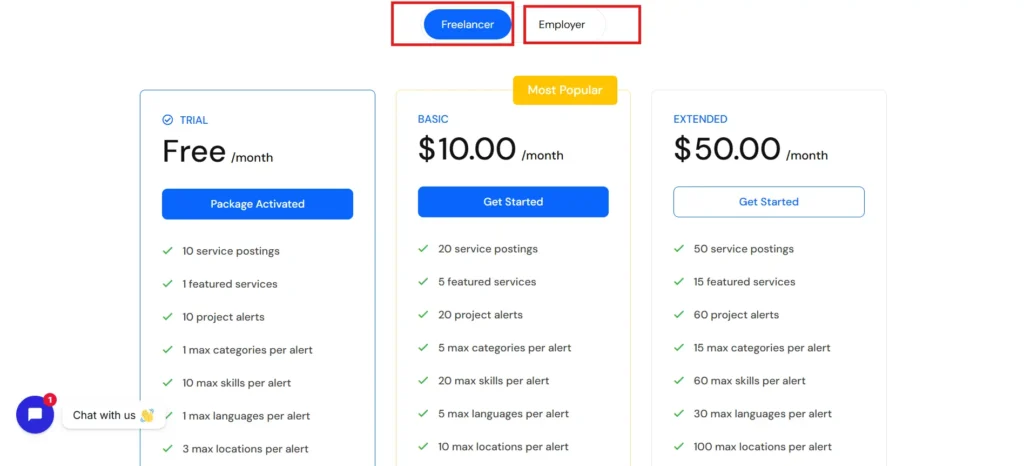
Pay attention to:
- Price of the plan
- Duration (monthly or yearly)
- Features included
- Limits on proposals or services
Do not select a plan just because it is expensive. Choose the one that matches your needs.
For beginners, starting with a basic or mid-level plan is often a better choice.
Step 4: Select the Plan
Once you have decided which plan suits you, click on the select or buy button.
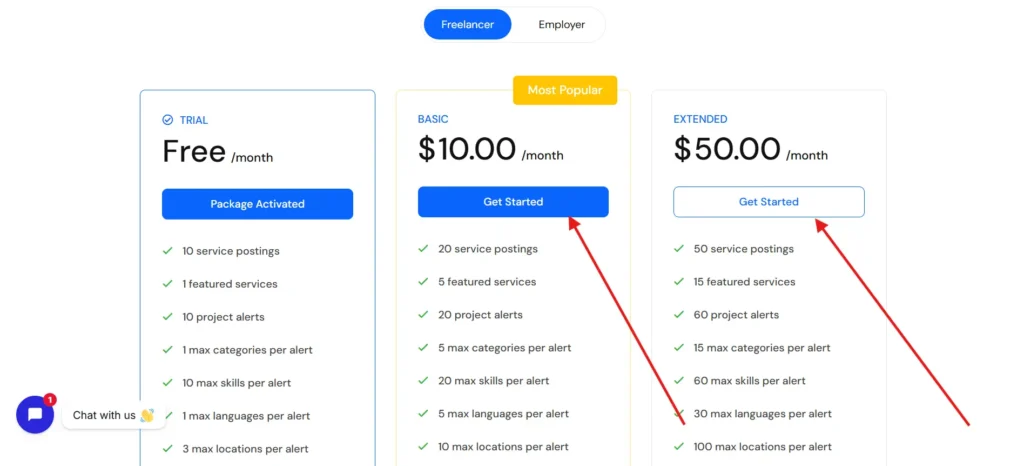
This will take you to the payment page where you need to confirm your choice.
Make sure you review the plan details again before proceeding.
Step 5: Enter Payment Details
Choose Payment Getway:
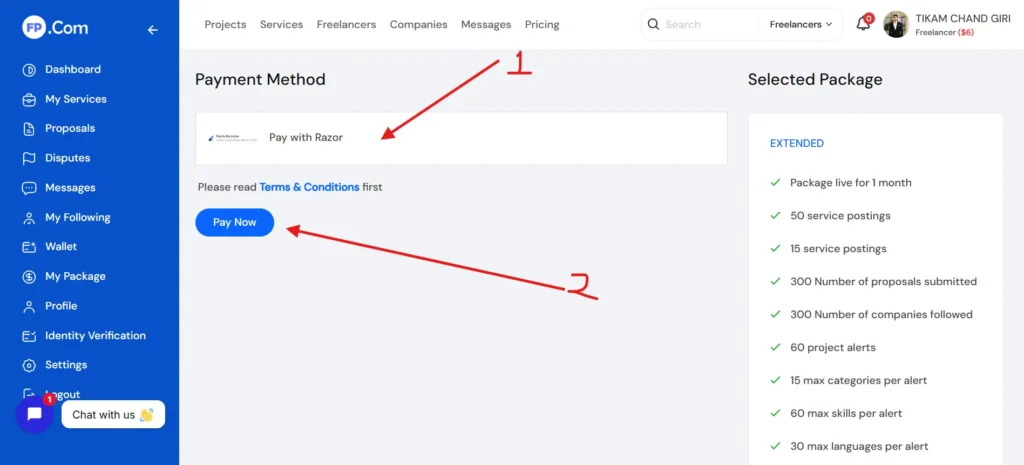
Now you need to complete the payment process. Depending on the platform, you may have different payment options such as:
- Debit card
- Credit card
- Online payment methods
Enter your details carefully and double-check everything before submitting.
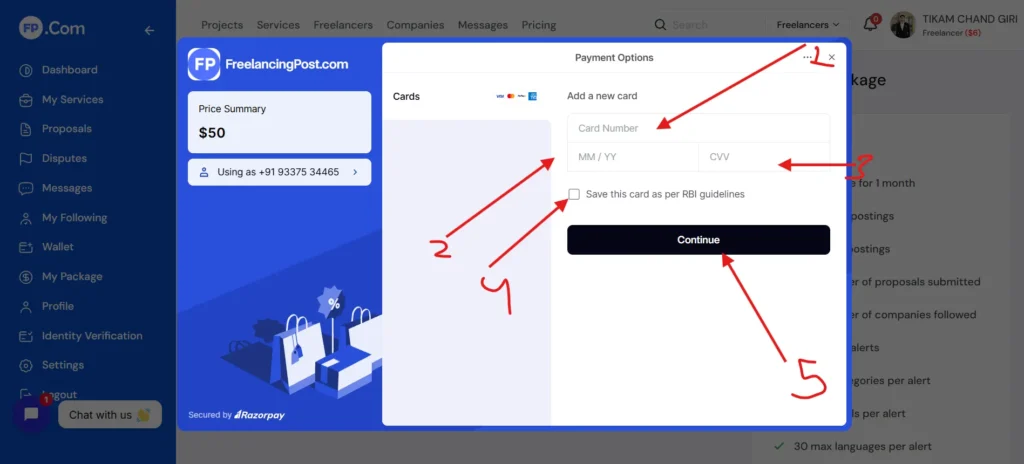
Make sure you are using a secure and trusted payment method Or Enable International Transactions on Your Debit & Credit Cards.
Step 6: Confirm and Complete Payment
- After entering your payment details, confirm the transaction.
- Once the payment is successful, you will receive a confirmation message or email.
- Your subscription plan will be activated immediately.
Step 7: Check Your Active Plan
After purchasing the plan, go back to your account settings or dashboard.
You should now see your active subscription with details such as:
- Plan name
- Validity period
- Features included
This confirms that your purchase was successful.
When Should You Upgrade Your Plan:
You should consider upgrading your plan when:
- You are getting regular work and need more features
- You are running out of proposal limits
- You want better visibility on the platform
Avoid upgrading too early without proper usage of your current plan.
Final Thoughts
Purchasing a subscription plan on Freelancing Post is a simple process, but using it wisely is what truly matters. Whether you are a freelancer or a client, a subscription can help you grow faster if used correctly.
Take time to understand your needs, choose the right plan, and stay active on the platform. Success in freelancing is not just about tools, but how effectively you use them.
If you want to see the complete process step by step, make sure to watch this video: