How to Send Proposal on Freelancing Post (Complete Beginner’s Guide) : In today’s blog post, we’ll look at How to Freelancers Send Proposal on Freelancing Post.
What is a Proposal and Why It Matters: A proposal is a message you send to a client when applying for a job. It is your chance to introduce yourself, explain your understanding of the project, and convince the client to hire you. Think of it as a conversation starter. The goal is not just to get the job immediately, but to get a reply from the client. A strong proposal can help even a beginner get selected, while a weak proposal can cause experienced freelancers to lose opportunities.
Step 1: Find Projects on Freelancing Post
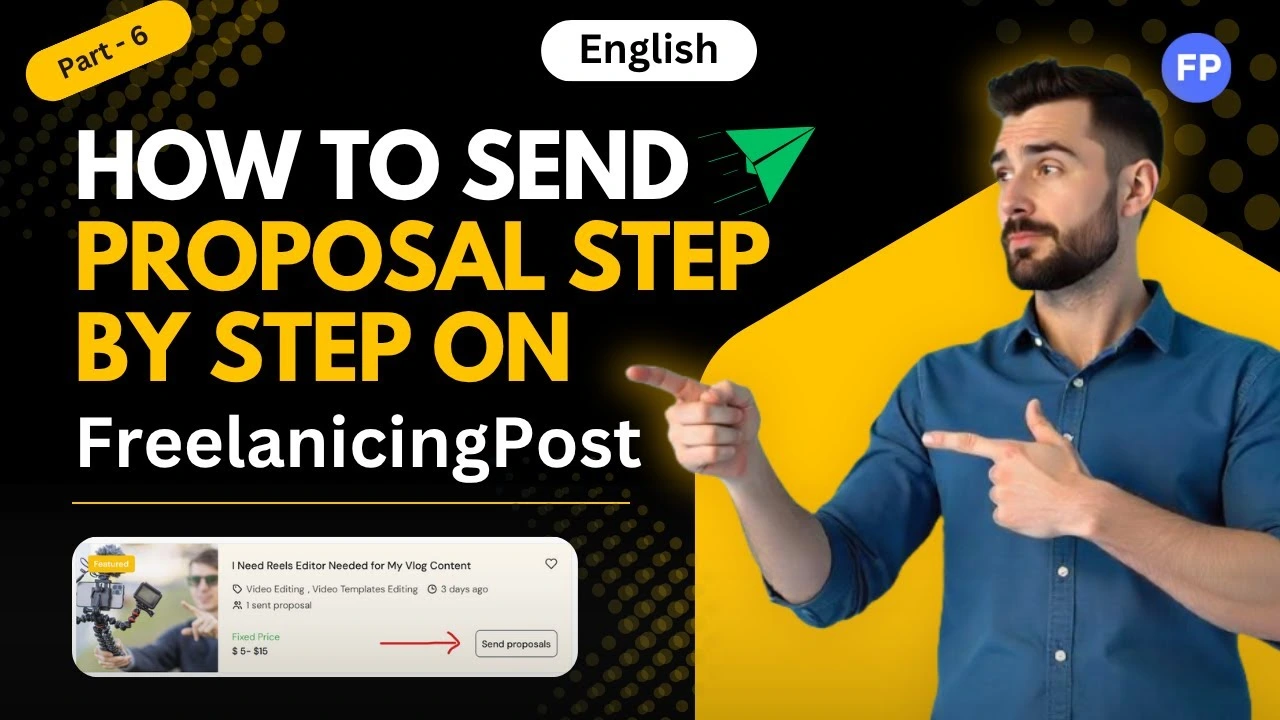
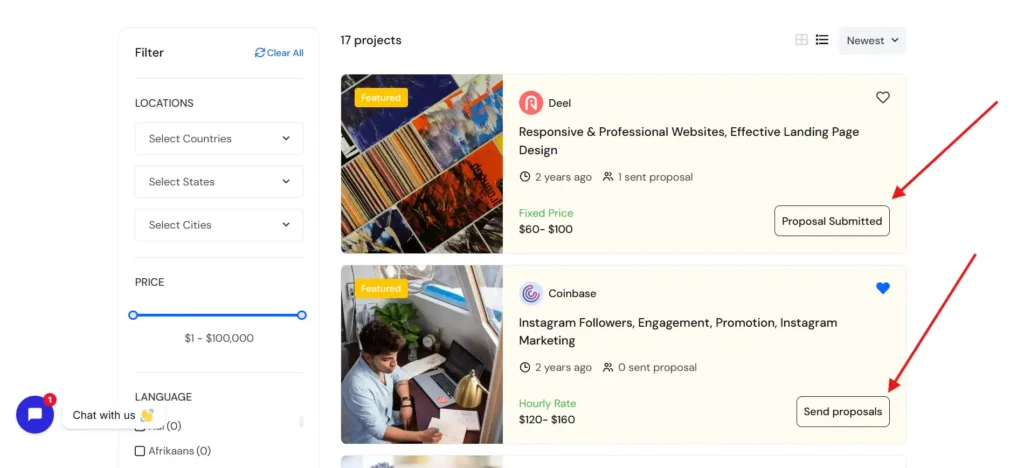
First you need to find projects for your account, you can do this in the Search section or projects section at the top of the Freelancing Post website, then once you find a project for your account, click on send proposals.
Before sending a proposal, always read the job description properly. This is where most freelancers go wrong. They apply without understanding what the client actually wants.
Pay attention to:
- Project requirements
- Budget and timeline
- Skills needed
- Specific instructions
Sometimes clients include small instructions like “Start your proposal with a specific word.” This is to check whether you have read the description. Missing such details can instantly reject your application.
Step 2: Start with a Strong Opening
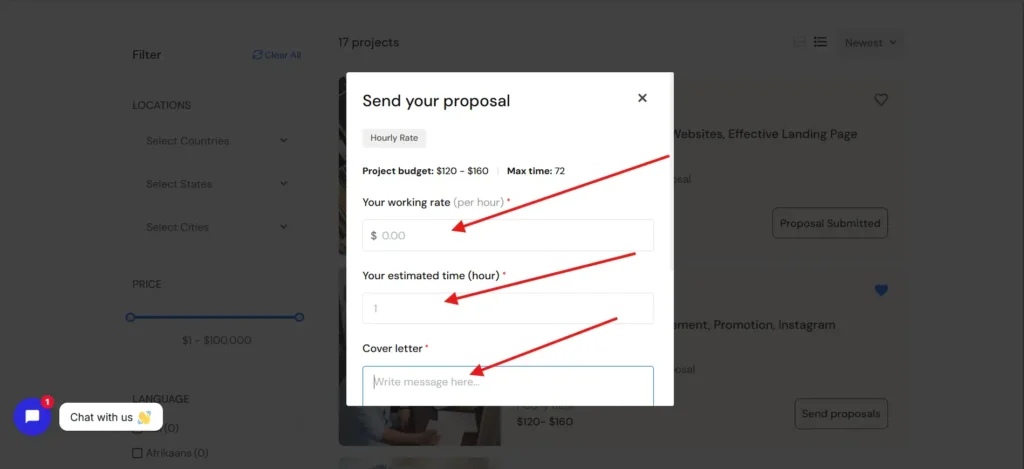
Start with a Strong Opening:
The first few lines of your proposal are very important. This is what decides whether the client will continue reading or not.
Avoid generic openings like:
“Hello sir, I am interested in your project”
Instead, try something more engaging and relevant to the job. For example, if the project is about video editing, you can start by mentioning your experience or understanding of the task.
A good opening shows that your proposal is personalized and not copied.
Show Understanding of the Project:
After your introduction, explain what you understood from the client’s requirement. This builds trust and shows that you are serious about the project.
For example, if the client wants YouTube video editing, you can mention:
- The type of editing they need
- Style or format
- Expected outcome
When clients feel that you understand their needs, they are more likely to respond.
Explain How You Can Help:
Now tell the client how you will solve their problem. Focus on results, not just skills.
Instead of saying:
“I know video editing”
Say something like:
“I can edit your videos with smooth transitions, engaging cuts, and professional effects to improve viewer retention”
This makes your proposal more valuable and client-focused.
Share Relevant Experience or Work:
Clients want proof that you can do the job. If you have previous experience, mention it briefly.
You can also:
- Share portfolio links
- Mention similar projects
- Describe your past work
Even if you are a beginner, you can talk about practice projects or personal work. The goal is to show your capability.
Keep It Short and Clear:
One of the biggest mistakes freelancers make is writing long and complicated proposals. Clients do not have time to read everything.
Keep your proposal:
- Short
- Clear
- Easy to understand
Focus only on important points. Avoid unnecessary details.
Ask a Question:
Ending your proposal with a question increases the chances of getting a reply. It shows your interest and starts a conversation.
For example:
- “Do you have any reference style for the editing?”
- “Can you share a sample of the content?”
Questions make your proposal interactive and engaging.
Step 3: Check Before Sending
Before sending your proposal, take a moment to review it.
Check for:
- Spelling and grammar mistakes
- Clarity of message
- Relevance to the job
A clean and error-free proposal creates a good impression.
Step 4: Send and Stay Active
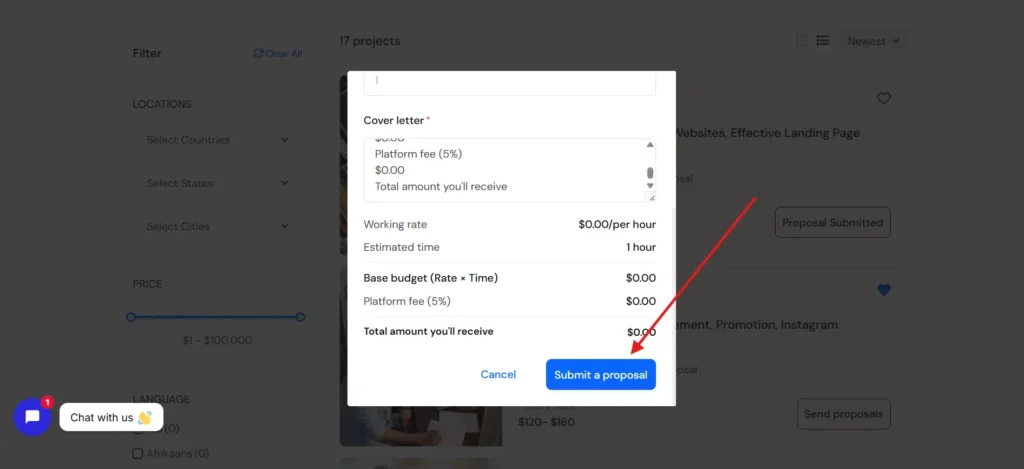
Once your proposal is ready, send it and stay active on the platform. Sometimes clients reply quickly, and you should be ready to respond.
Do not get discouraged if you do not get replies immediately. Freelancing takes time and consistency.
Tips to Increase Proposal Success:
- Focus on quality, not quantity. Sending fewer but better proposals is more effective than sending many weak ones.
- Customize every proposal according to the job. Avoid copy-paste messages.
- Apply early when a job is posted. Early proposals have higher chances of being seen.
- Keep improving your proposals based on results. Learn from what works and what does not.
Common Mistakes to Avoid:
Many beginners repeat the same mistakes, which reduce their chances of getting hired.
- Sending copy-paste proposals
- Not reading job descriptions properly
- Writing very long messages
- Not showing understanding of the project
- Ignoring client instructions
Avoiding these mistakes can significantly improve your success rate.
Final Thoughts
Sending a proposal on Freelancing Post is not just a simple step. It is a skill that can decide your success in freelancing. A well-written proposal can open doors to opportunities, even if you are just starting.
Focus on understanding the client, writing clearly, and showing how you can help. Do not rush the process. Take your time to create thoughtful and personalized proposals.
For a complete step-by-step explanation, make sure to watch this video: